GTA SA Kasi Vibes Lite
What Is GTA SA Kasi Vibes Lite?
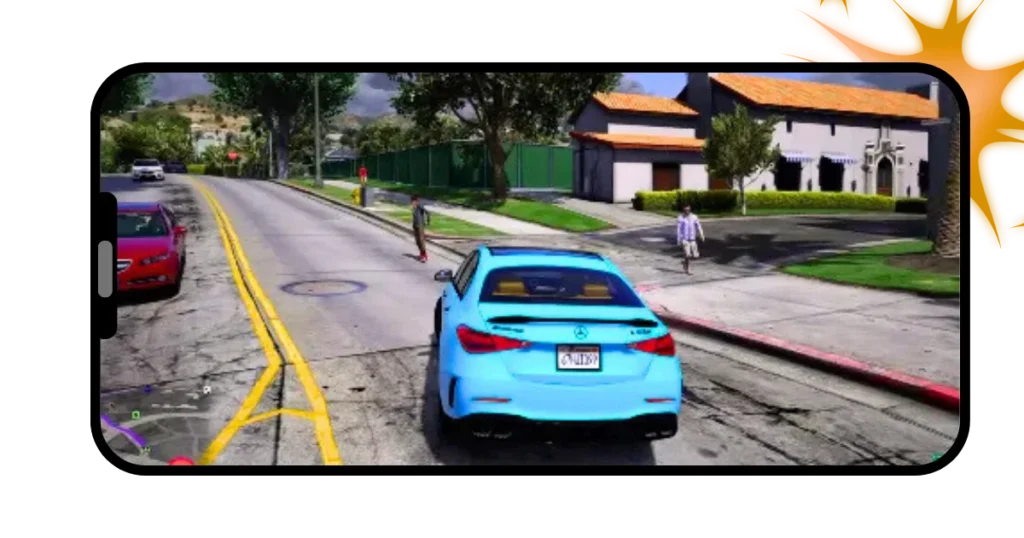
GTA SA Kasi Vibes Lite is a modified (modded) version of GTA San Andreas. GTA games are popular all over the world, but many players love modded versions because they feel new and different. One such popular mod is GTA SA Kasi Vibes Lite. This version is especially liked by players who use low-end Android phones and want an African-style game experience.
The word “Lite” means this version is lighter in size and runs smoothly on weak or old devices.
“Kasi Vibes” refers to African township life, including:
- Local streets
- Township-style houses
- African characters
- Local cars and taxis
This mod gives a local African feeling while keeping the game easy to play.
Why Is It Called “Lite”?
It is called ‘Lite’ because:
- File size is small
- Uses less RAM
- Loads faster
- Less lag
- Smooth gameplay on low-end phones
Many players cannot run heavy mods like GTA Mzansi. For them, GTA SA Kasi Vibes Lite is a perfect choice.
Main Features of GTA SA Kasi Vibes Lite
Smooth Performance
This game is designed to run well on:
- Low-RAM phones
- Old Android devices
- Phones with less storage
That’s why it is very popular among budget users.
African Township Environment
You will see:
- Kasi-style streets
- Small local shops
- Township houses
- African road designs
This makes the game feel more realistic for African players.
Local Cars and Characters
Instead of only American cars, you may see:
- Local taxis
- African-style vehicles
- Modified bikes
Characters also look more local compared to the original GTA San Andreas.
Based on GTA San Andreas
The core gameplay is still GTA San Andreas, which means:
- Easy controls
- Classic missions
- Open-world map
- Familiar CJ character
So even new players can enjoy it easily.
Is GTA SA Kasi Vibes Lite the Same as GTA Mzansi?
No, they are not the same.
- GTA SA Kasi Vibes Lite → Light, simple, small size
- GTA Mzansi → Heavy, advanced, more detailed
If you want:
- Smooth gameplay & small size → Kasi Vibes Lite
- High graphics & full African world → GTA Mzansi
Both are good but made for different devices.
Who Should Play GTA SA Kasi Vibes Lite?
This game is best for:
- Players with low-end Android phones
- Beginners who want simple gameplay
- Users with limited storage
- Players who like African-style mods
- People who want less lag and fast loading
If your phone struggles with heavy games, this Lite version is a smart choice. Download more games here.
Gameplay Experience
The gameplay is:
- Simple
- Smooth
- Easy to control
You can:
- Drive around the map
- Explore township areas
- Complete basic missions
- Enjoy free roaming
It is more about fun and smooth play than heavy graphics.
Advantages of GTA SA Kasi Vibes Lite
✔ Small file size
✔ Smooth performance
✔ Works on low-end phones
✔ African township vibe
✔ Easy to install and play
Limitations You Should Know
❌ Graphics are not very advanced
❌ Fewer custom missions
❌ Less detail compared to GTA Mzansi
❌ Not made for high-end graphics lovers
But for a Lite version, these limits are normal.
Is GTA SA Kasi Vibes Lite Safe to Play?
Yes, it is generally safe if downloaded from a trusted source.
Always avoid unknown websites, and do not give unnecessary permissions.
Final Thoughts
GTA SA Kasi Vibes Lite is a lightweight, African-style GTA mod made for players who want smooth gameplay on low-end devices. It does not try to compete with heavy games like GTA 5 or GTA Mzansi. Instead, it focuses on performance, simplicity, and local vibes.
If you enjoy classic GTA San Andreas but want a Kasi-style experience without lag, this version is a good option. To read about GTA Mzansi and other versions, visit our page: GTA Mzansi APK.